WezTermのフォーク版のKakuを入れてみた
はじめに
雑なログでもいいので、試したツールはブログに残していこうと思う
kakuというターミナルエミュレーターを知りました。mac osでしか動かないweztermのフォーク版でzero configで動くweztermだそうだ。
ということでインストールしてみた。
インストール
自分はgithubのリリースにあるdmgからインストールしてみた
startshipとzoxideなどはif installedと書いてあったので、既に入っていた場合にkakuの設定と連携する的な意味だと思ってEnterキーからセットアップを開始したところ、homebrew経由でstarshipなどが入ってきた。。。。。。
Optional って必須じゃないけど入れとくね!のほうなの????
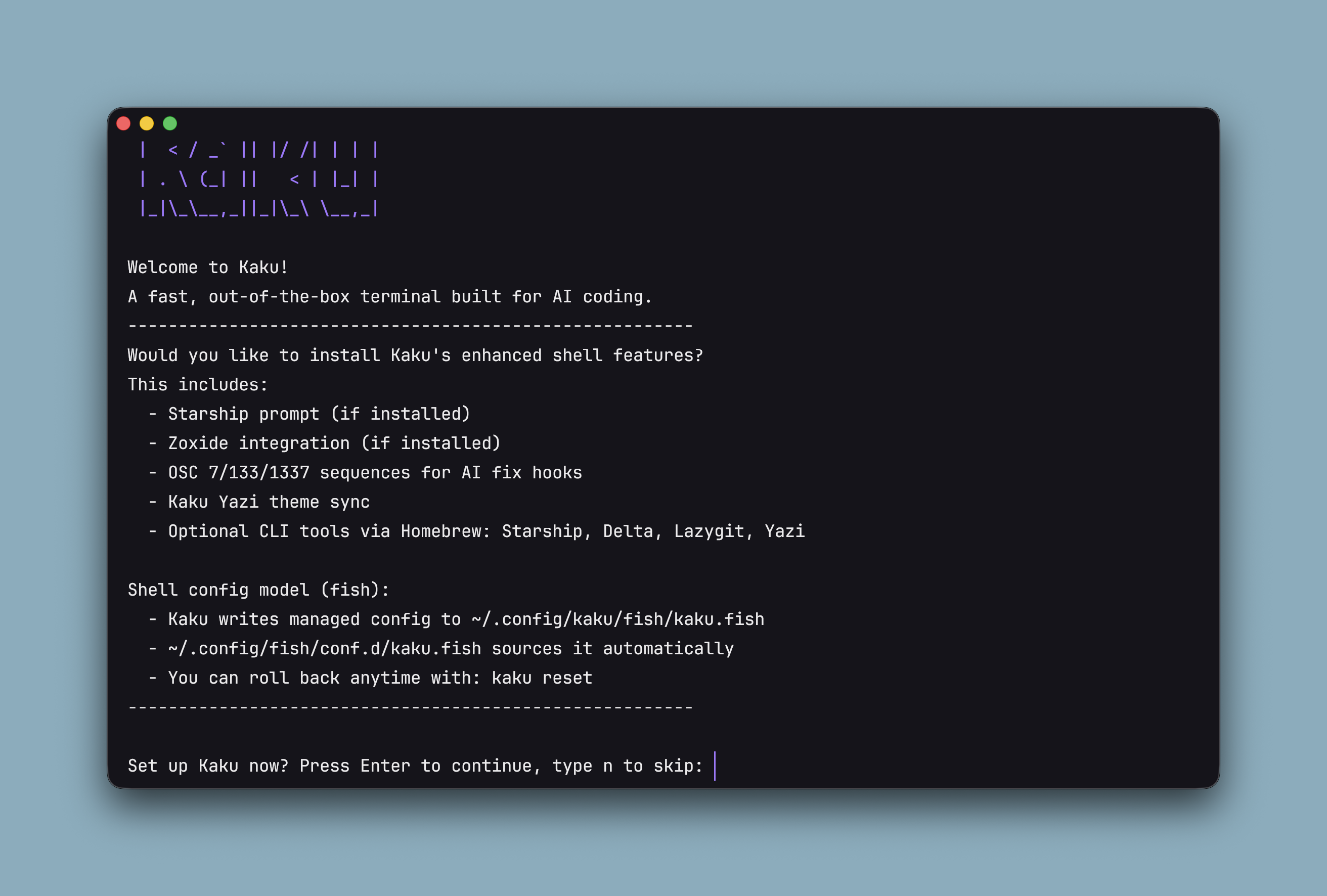
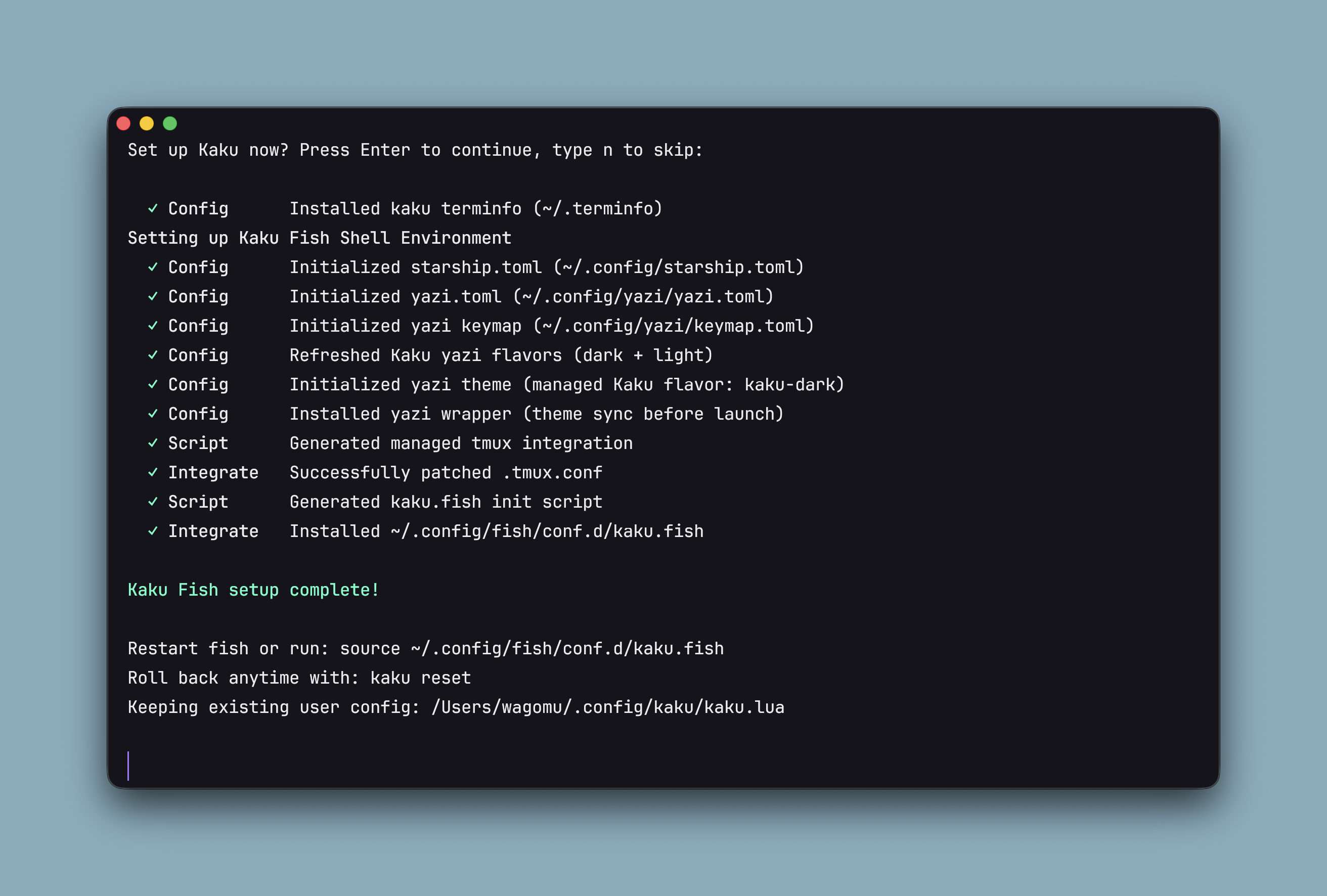
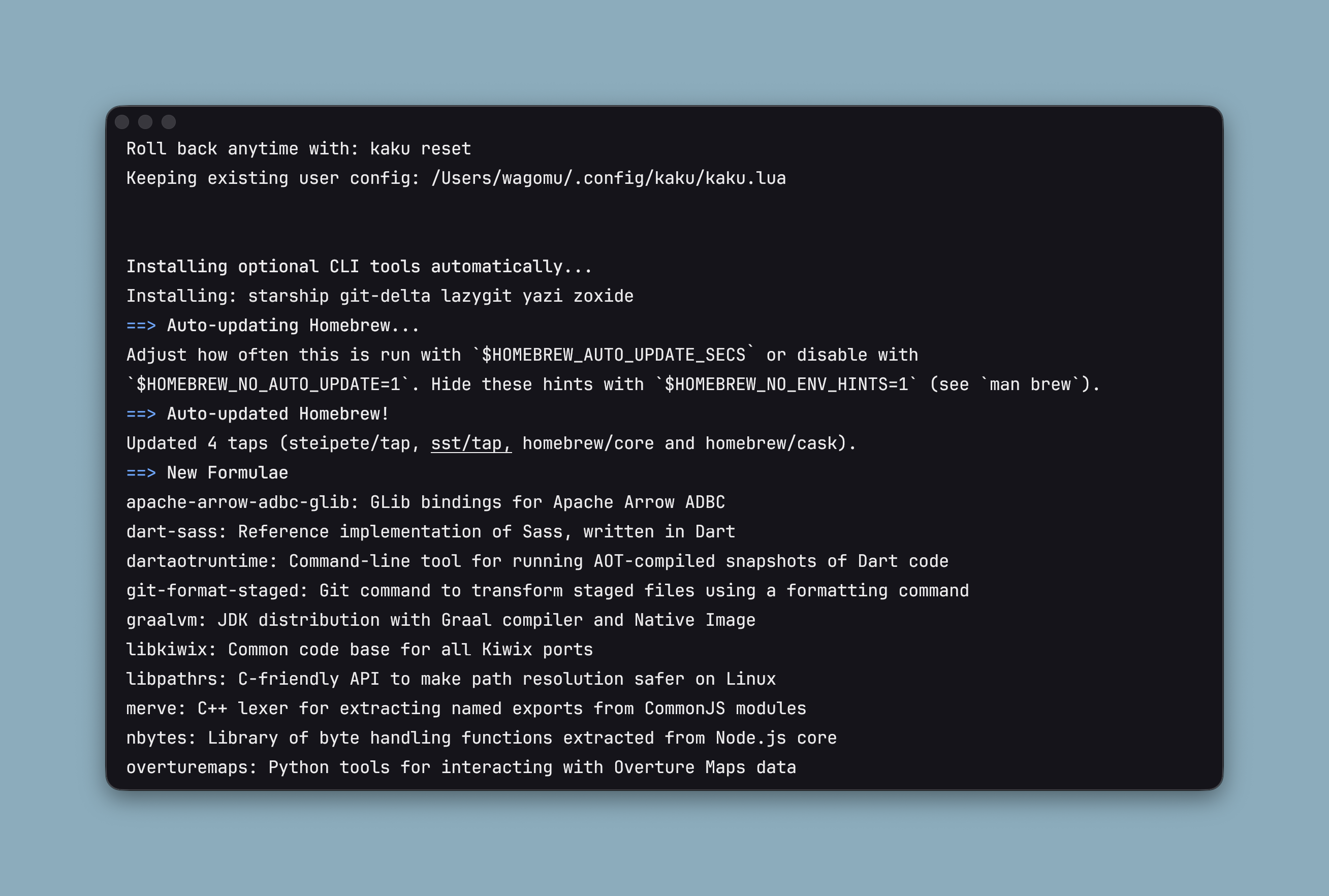
以下はエンターを押してから止まるまでの全ログです。Optionalってなんだろうな。。
  _  __      _
 | |/ /     | |
 | ' / __ _ | | __ _   _
 |  < / _` || |/ /| | | |
 | . \ (_| ||   < | |_| |
 |_|\_\__,_||_|\_\ \__,_|

Welcome to Kaku!
A fast, out-of-the-box terminal built for AI coding.
--------------------------------------------------------
Would you like to install Kaku's enhanced shell features?
This includes:
  - Starship prompt (if installed)
  - Zoxide integration (if installed)
  - OSC 7/133/1337 sequences for AI fix hooks
  - Kaku Yazi theme sync
  - Optional CLI tools via Homebrew: Starship, Delta, Lazygit, Yazi

Shell config model (fish):
  - Kaku writes managed config to ~/.config/kaku/fish/kaku.fish
  - ~/.config/fish/conf.d/kaku.fish sources it automatically
  - You can roll back anytime with: kaku reset
--------------------------------------------------------

Set up Kaku now? Press Enter to continue, type n to skip:

  ✓ Config      Installed kaku terminfo (~/.terminfo)
Setting up Kaku Fish Shell Environment
  ✓ Config      Initialized starship.toml (~/.config/starship.toml)
  ✓ Config      Initialized yazi.toml (~/.config/yazi/yazi.toml)
  ✓ Config      Initialized yazi keymap (~/.config/yazi/keymap.toml)
  ✓ Config      Refreshed Kaku yazi flavors (dark + light)
  ✓ Config      Initialized yazi theme (managed Kaku flavor: kaku-dark)
  ✓ Config      Installed yazi wrapper (theme sync before launch)
  ✓ Script      Generated managed tmux integration
  ✓ Integrate   Successfully patched .tmux.conf
  ✓ Script      Generated kaku.fish init script
  ✓ Integrate   Installed ~/.config/fish/conf.d/kaku.fish

Kaku Fish setup complete!

Restart fish or run: source ~/.config/fish/conf.d/kaku.fish
Roll back anytime with: kaku reset
Keeping existing user config: /Users/wagomu/.config/kaku/kaku.lua


Installing optional CLI tools automatically...
Installing: starship git-delta lazygit yazi zoxide
==> Auto-updating Homebrew...
Adjust how often this is run with `$HOMEBREW_AUTO_UPDATE_SECS` or disable with
`$HOMEBREW_NO_AUTO_UPDATE=1`. Hide these hints with `$HOMEBREW_NO_ENV_HINTS=1` (see `man brew`).
==> Auto-updated Homebrew!
Updated 4 taps (steipete/tap, sst/tap, homebrew/core and homebrew/cask).
==> New Formulae
apache-arrow-adbc-glib: GLib bindings for Apache Arrow ADBC
dart-sass: Reference implementation of Sass, written in Dart
dartaotruntime: Command-line tool for running AOT-compiled snapshots of Dart code
git-format-staged: Git command to transform staged files using a formatting command
graalvm: JDK distribution with Graal compiler and Native Image
libkiwix: Common code base for all Kiwix ports
libpathrs: C-friendly API to make path resolution safer on Linux
merve: C++ lexer for extracting named exports from CommonJS modules
nbytes: Library of byte handling functions extracted from Node.js core
overturemaps: Python tools for interacting with Overture Maps data
rustpython: Python Interpreter written in Rust
rvvm: RISC-V Virtual Machine
sarif-fmt: Pretty print SARIF files to easy human readable output
sheets: Terminal based spreadsheet tool
skip: Tool for building Swift apps for Android
t2sz: Compress a file into a seekable zstd with per-file seeking for tar archives
tini: Tiny but valid init for containers
yelp-xsl: Document transformations from Yelp
==> New Casks
appgridmac: AI-assisted Launchpad replacement
backblaze-restore: Computer backup restore client
cadran: Desktop clock rendered behind your icons
clearance: Markdown viewer and editor
craft-agents: AI assistant for connecting and working across data sources
font-ioskeley-mono
font-strichpunkt-sans
happ: Platform for building proxies to bypass network restrictions
hive-app: AI agent orchestrator for parallel coding across projects
intiface-central: Frontend application for the Buttplug sex toy control library
plamo-translate: Translator focused on Japanese
radial: Gesture-based launcher for apps, text snippets, and scripts
rayon: AI-powered drawing for interior designers and architects
remanager: Desktop app for managing mods on reMarkable tablets
super: Analytics database that fuses structured and semi-structured data
vibe-island: Dynamic island AI agent utility
vibeproxy: Menu bar app for using AI subscriptions with coding tools

You have 54 outdated formulae and 5 outdated casks installed.

==> Fetching downloads for: starship, git-delta, lazygit, yazi and zoxide
✔︎ Bottle Manifest starship (1.24.2)                                            Downloaded    8.3KB/  8.3KB
✔︎ Bottle Manifest lazygit (0.61.0)                                             Downloaded    7.4KB/  7.4KB
✔︎ Bottle Manifest yazi (26.1.22)                                               Downloaded    7.5KB/  7.5KB
✔︎ Bottle Manifest git-delta (0.19.2)                                           Downloaded   12.8KB/ 12.8KB
✔︎ Bottle Manifest zoxide (0.9.9)                                               Downloaded    7.4KB/  7.4KB
✔︎ Bottle Manifest libssh2 (1.11.1_1)                                           Downloaded   12.1KB/ 12.1KB
✔︎ Bottle Manifest openssl@3 (3.6.2)                                            Downloaded   12.0KB/ 12.0KB
✔︎ Bottle Manifest libgit2 (1.9.2_1)                                            Downloaded   13.1KB/ 13.1KB
✔︎ Bottle Manifest oniguruma (6.9.10)                                           Downloaded   10.0KB/ 10.0KB
✔︎ Bottle libssh2 (1.11.1_1)                                                    Downloaded  422.9KB/422.9KB
✔︎ Bottle oniguruma (6.9.10)                                                    Downloaded  458.4KB/458.4KB
✔︎ Bottle zoxide (0.9.9)                                                        Downloaded  468.4KB/468.4KB
✔︎ Bottle libgit2 (1.9.2_1)                                                     Downloaded    1.9MB/  1.9MB
✔︎ Bottle git-delta (0.19.2)                                                    Downloaded    2.9MB/  2.9MB
✔︎ Bottle starship (1.24.2)                                                     Downloaded    3.8MB/  3.8MB
✔︎ Bottle lazygit (0.61.0)                                                      Downloaded    6.1MB/  6.1MB
✔︎ Bottle yazi (26.1.22)                                                        Downloaded    8.9MB/  8.9MB
✔︎ Bottle openssl@3 (3.6.2)                                                     Downloaded   10.9MB/ 10.9MB
==> Pouring starship--1.24.2.arm64_tahoe.bottle.1.tar.gz
🍺  /opt/homebrew/Cellar/starship/1.24.2: 12 files, 8.7MB
==> Running `brew cleanup starship`...
Disable this behaviour by setting `HOMEBREW_NO_INSTALL_CLEANUP=1`.
Hide these hints with `HOMEBREW_NO_ENV_HINTS=1` (see `man brew`).
==> Installing dependencies for git-delta: libssh2, libgit2 and oniguruma
==> Installing git-delta dependency: libssh2
==> Pouring libssh2--1.11.1_1.arm64_tahoe.bottle.tar.gz
🍺  /opt/homebrew/Cellar/libssh2/1.11.1_1: 201 files, 1.3MB
==> Installing git-delta dependency: libgit2
==> Pouring libgit2--1.9.2_1.arm64_tahoe.bottle.1.tar.gz
🍺  /opt/homebrew/Cellar/libgit2/1.9.2_1: 109 files, 5.0MB
==> Installing git-delta dependency: oniguruma
==> Pouring oniguruma--6.9.10.arm64_tahoe.bottle.tar.gz
🍺  /opt/homebrew/Cellar/oniguruma/6.9.10: 15 files, 1.5MB
==> Installing git-delta
==> Pouring git-delta--0.19.2.arm64_tahoe.bottle.tar.gz
🍺  /opt/homebrew/Cellar/git-delta/0.19.2: 12 files, 6.2MB
==> Running `brew cleanup git-delta`...
==> Pouring lazygit--0.61.0.arm64_tahoe.bottle.tar.gz
🍺  /opt/homebrew/Cellar/lazygit/0.61.0: 6 files, 17.7MB
==> Running `brew cleanup lazygit`...
==> Pouring yazi--26.1.22.arm64_tahoe.bottle.tar.gz
🍺  /opt/homebrew/Cellar/yazi/26.1.22: 17 files, 18.7MB
==> Running `brew cleanup yazi`...
==> Pouring zoxide--0.9.9.arm64_tahoe.bottle.tar.gz
🍺  /opt/homebrew/Cellar/zoxide/0.9.9: 18 files, 1MB
==> Running `brew cleanup zoxide`...
  ✓ Tools       Installed missing CLI tools via Homebrew

🎃 Kaku environment is ready! Enjoy coding.
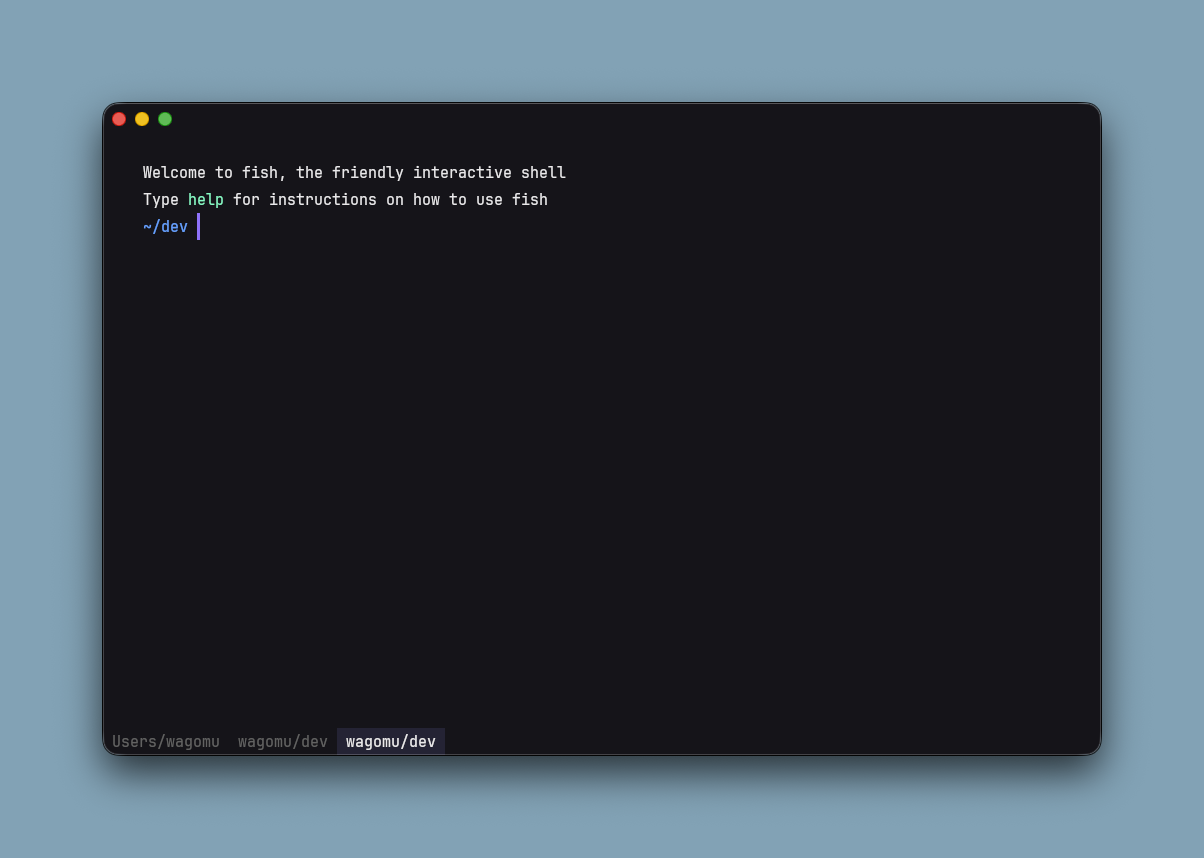
Welcome to fish, the friendly interactive shell
Type help for instructions on how to use fish
~UI
weztermの設定が上書かれて、おしゃれなタブになった。ここは自分の設定でも真似させてもらおう。
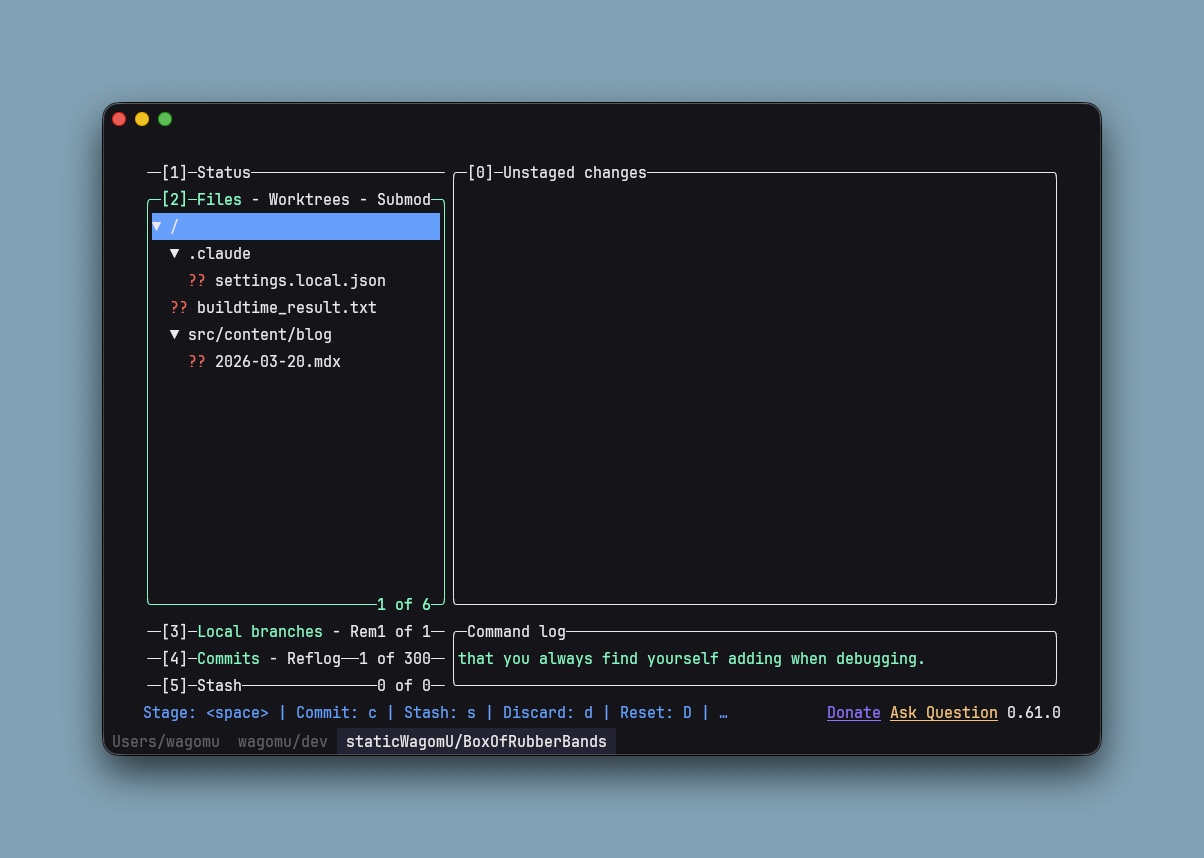
lazygit
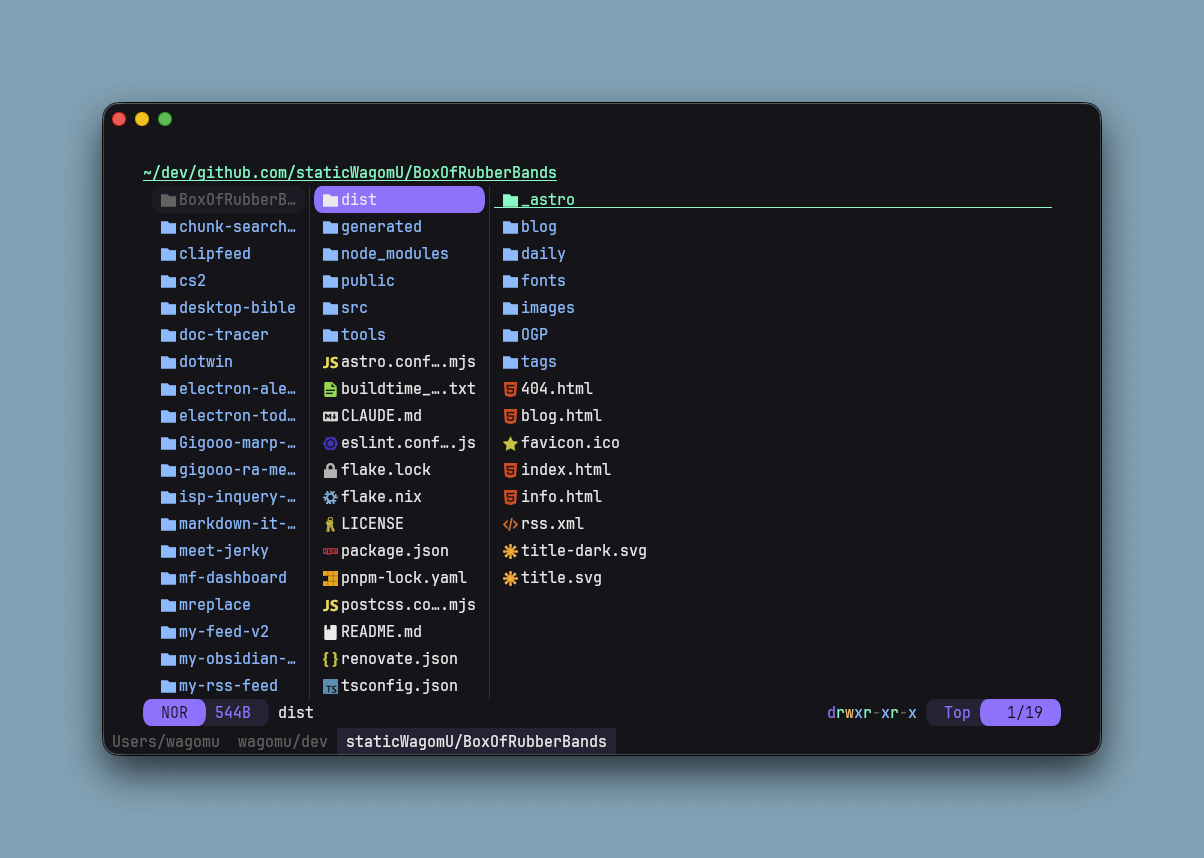
Yazi
これがYaziというものらしい。
始めて触ったので、しばらく試してみます。
キーマッピング
ここ に記載されてます
元文を全部貼るとこんな感じです
Keybindings
All keybindings use macOS-native modifier keys. Opt = Option/Alt, Ctrl = Control.
Window
| Action | Shortcut |
|---|---|
| New window | Cmd + N |
| Close pane / tab / hide | Cmd + W |
| Close current tab | Cmd + Shift + W |
| Hide application | Cmd + H |
| Minimize window | Cmd + M |
| Toggle fullscreen | Cmd + Ctrl + F |
| Quit | Cmd + Q |
| Toggle global window | Cmd + Opt + Ctrl + K |
Cmd + Wis smart: closes the active pane if there are multiple panes, closes the tab if there are multiple tabs or windows, otherwise hides the app.
Tabs
| Action | Shortcut |
|---|---|
| New tab | Cmd + T |
| Switch to tab 1–9 | Cmd + 1 – Cmd + 9 |
| Previous tab | Cmd + Shift + [ |
| Next tab | Cmd + Shift + ] |
| Close tab | Cmd + Shift + W |
| Reopen closed tab | Cmd + Shift + T |
| Rename tab | Double-click tab title |
Panes
| Action | Shortcut |
|---|---|
| Split vertical | Cmd + D |
| Split horizontal | Cmd + Shift + D |
| Toggle split direction | Cmd + Shift + S |
| Zoom / unzoom pane | Cmd + Shift + Enter |
| Navigate panes | Cmd + Opt + Arrows |
| Resize pane | Cmd + Ctrl + Arrows |
Shell Editing
| Action | Shortcut |
|---|---|
| Jump word left / right | Opt + Left / Opt + Right |
| Jump to line start / end | Cmd + Left / Cmd + Right |
| Delete to line start | Cmd + Backspace |
| Delete word | Opt + Backspace |
| Newline without execute | Cmd + Enter or Shift + Enter |
Font Size
| Action | Shortcut |
|---|---|
| Increase | Cmd + = |
| Decrease | Cmd + - |
| Reset | Cmd + 0 |
Kaku Features
| Action | Shortcut |
|---|---|
| Clear screen + scrollback | Cmd + K |
| Open Settings panel | Cmd + , |
| Open AI panel | Cmd + Shift + A |
| Apply Kaku Assistant suggestion | Cmd + Shift + E |
| Open lazygit | Cmd + Shift + G |
| Open yazi file manager | Cmd + Shift + Y |
| Browse remote files (SSH) | Cmd + Shift + R |
| Open Doctor panel | Ctrl + Shift + L |
Mouse
| Action | Trigger |
|---|---|
| Copy selection to clipboard | Release left mouse button after selecting |
| Open link | Cmd + Click |
| Move cursor to clicked column | Opt + Click (same row, shell prompt only) |
Custom Keybindings
Add bindings to ~/.config/kaku/kaku.lua by appending to config.keys. Do not assign a new table — this would erase Kaku’s defaults.
-- ~/.config/kaku/kaku.lua (after loading bundled config)
table.insert(config.keys, {
  key = 'RightArrow',
  mods = 'CMD|SHIFT',
  action = wezterm.action.ActivatePaneDirection('Right'),
})For the full list of available actions, see WezTerm KeyAssignment reference.
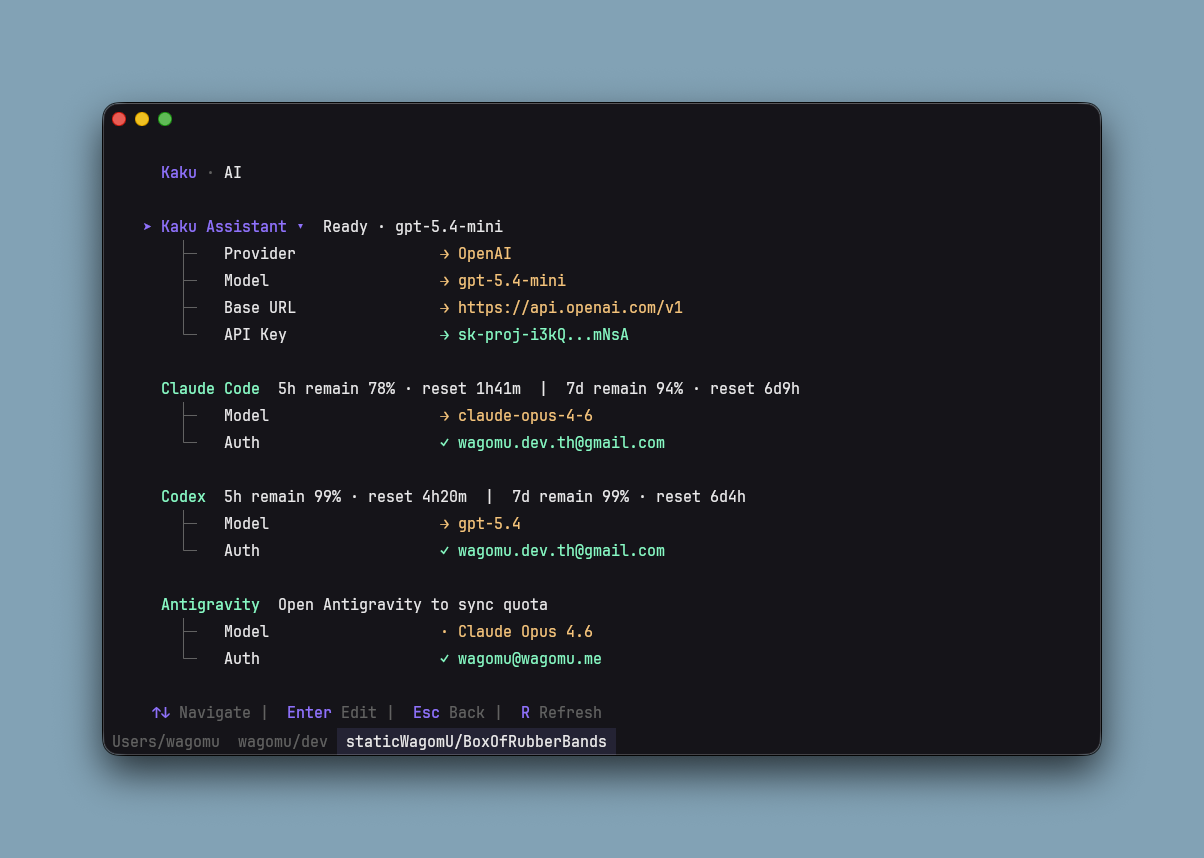
kaku ai
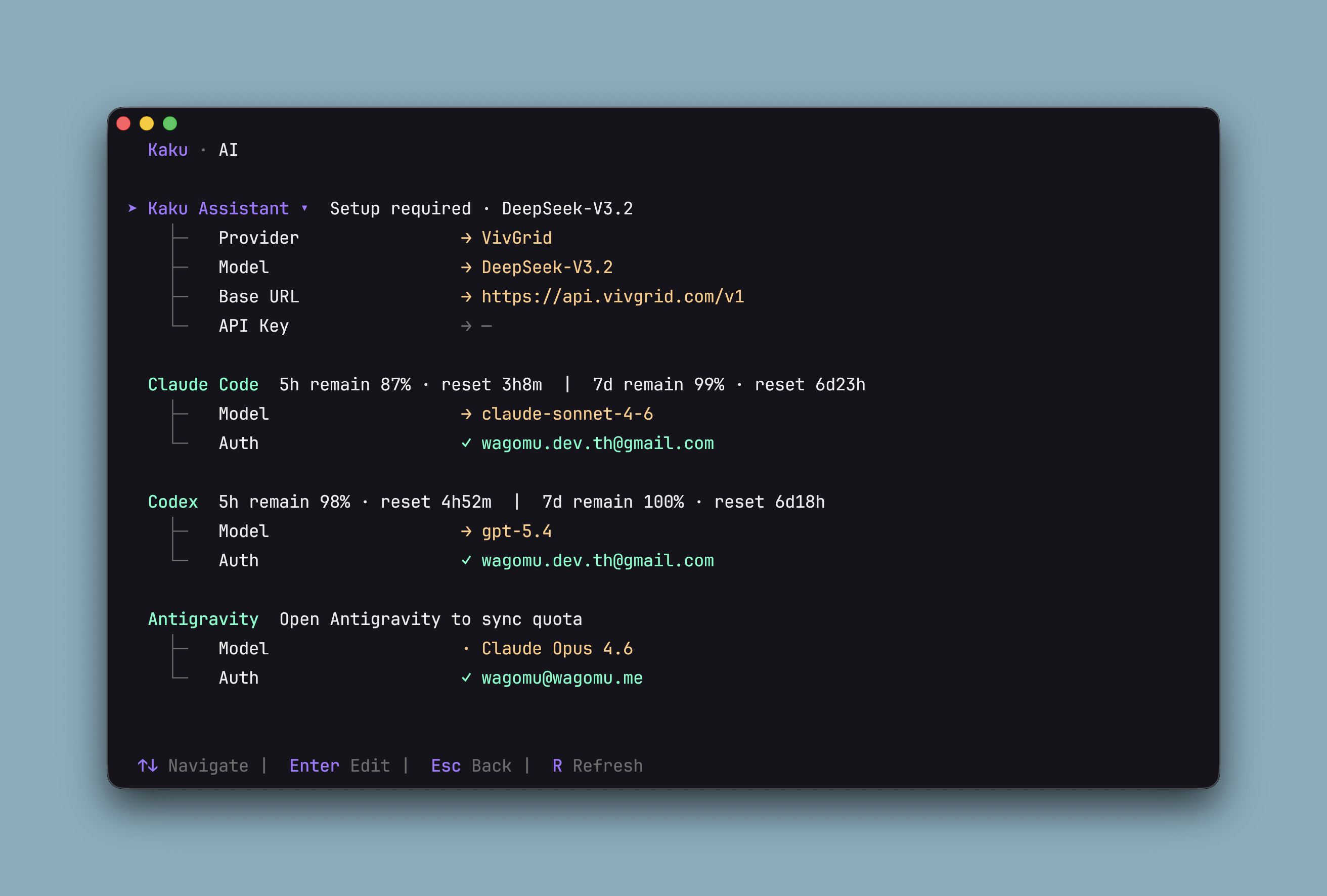
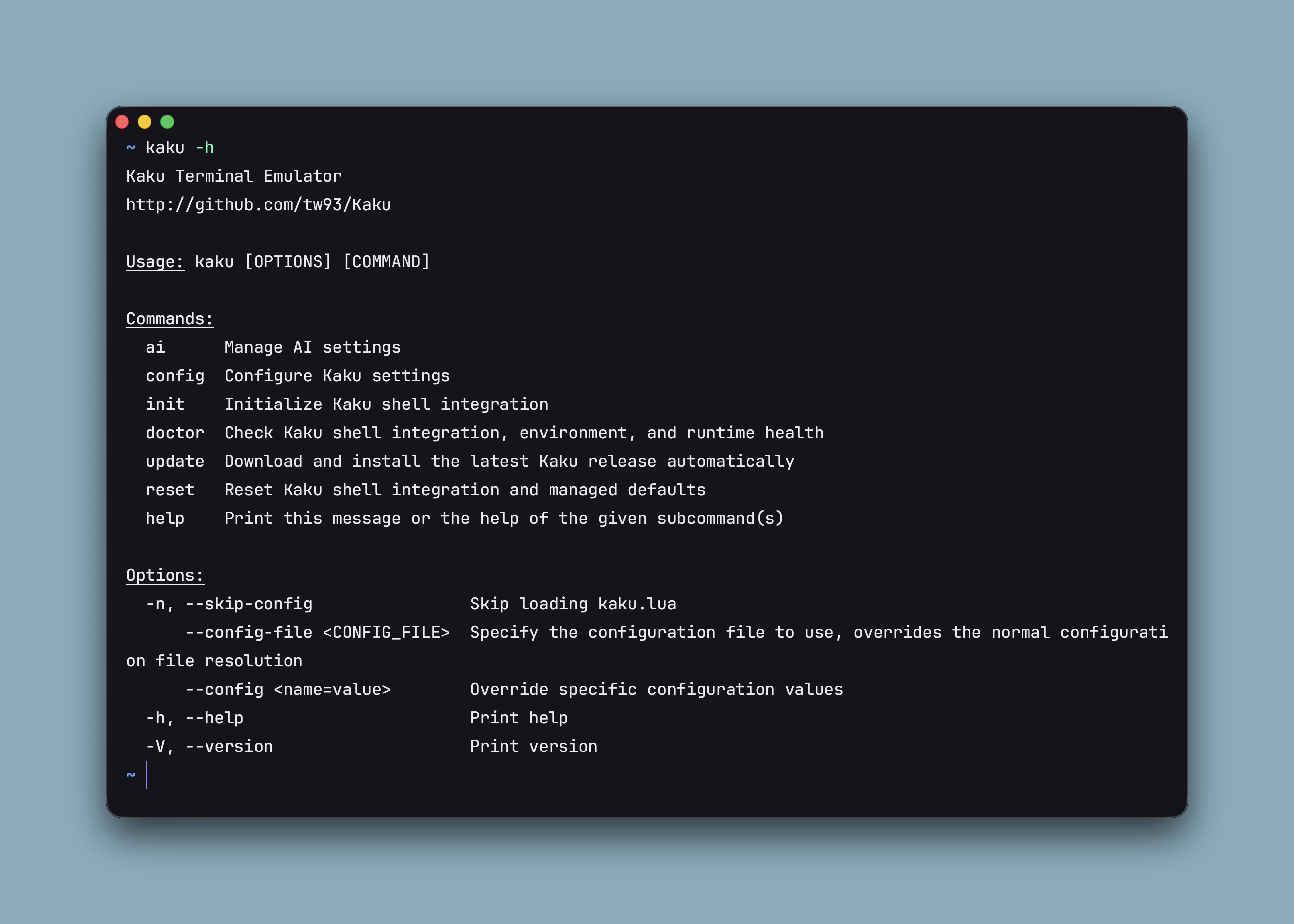
apiをセットしてみた
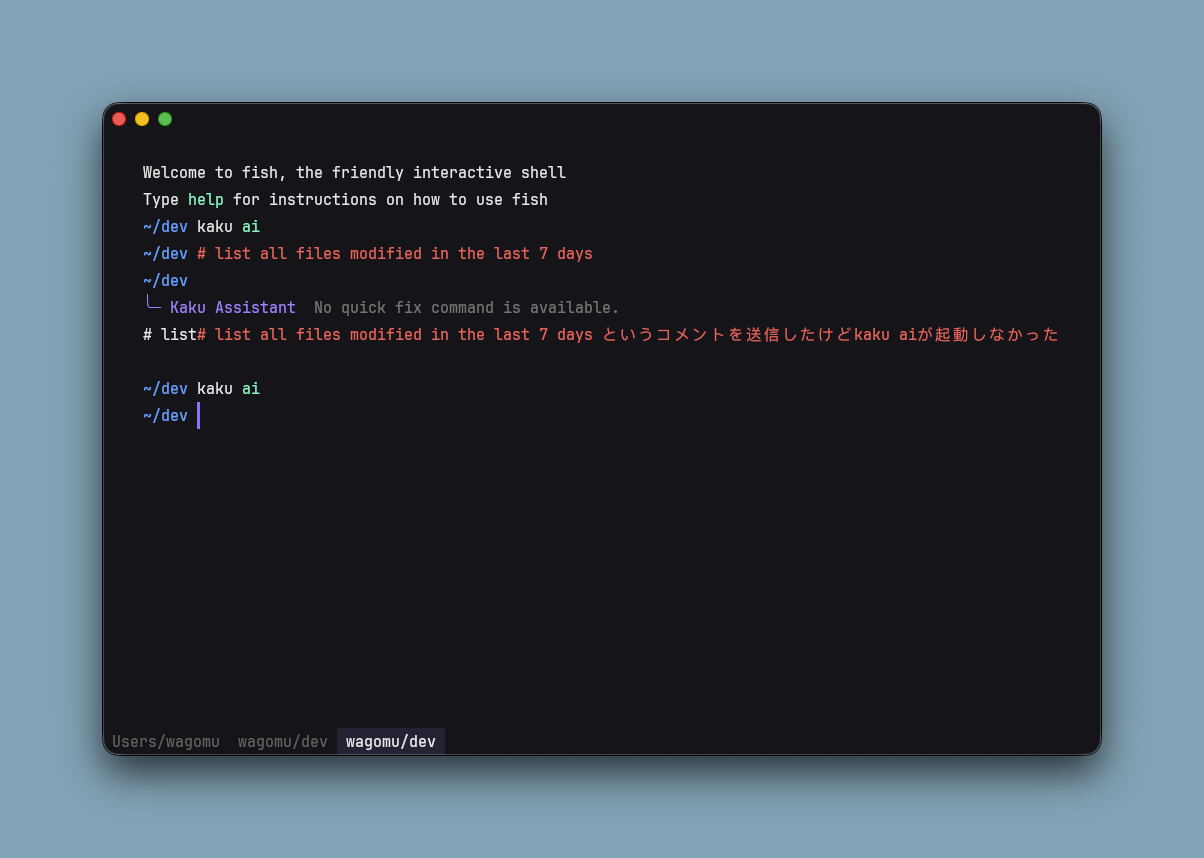
ドキュメントには、コメントあるいは、Cmd + shift + Eで起動できるとあったがうごかなかった
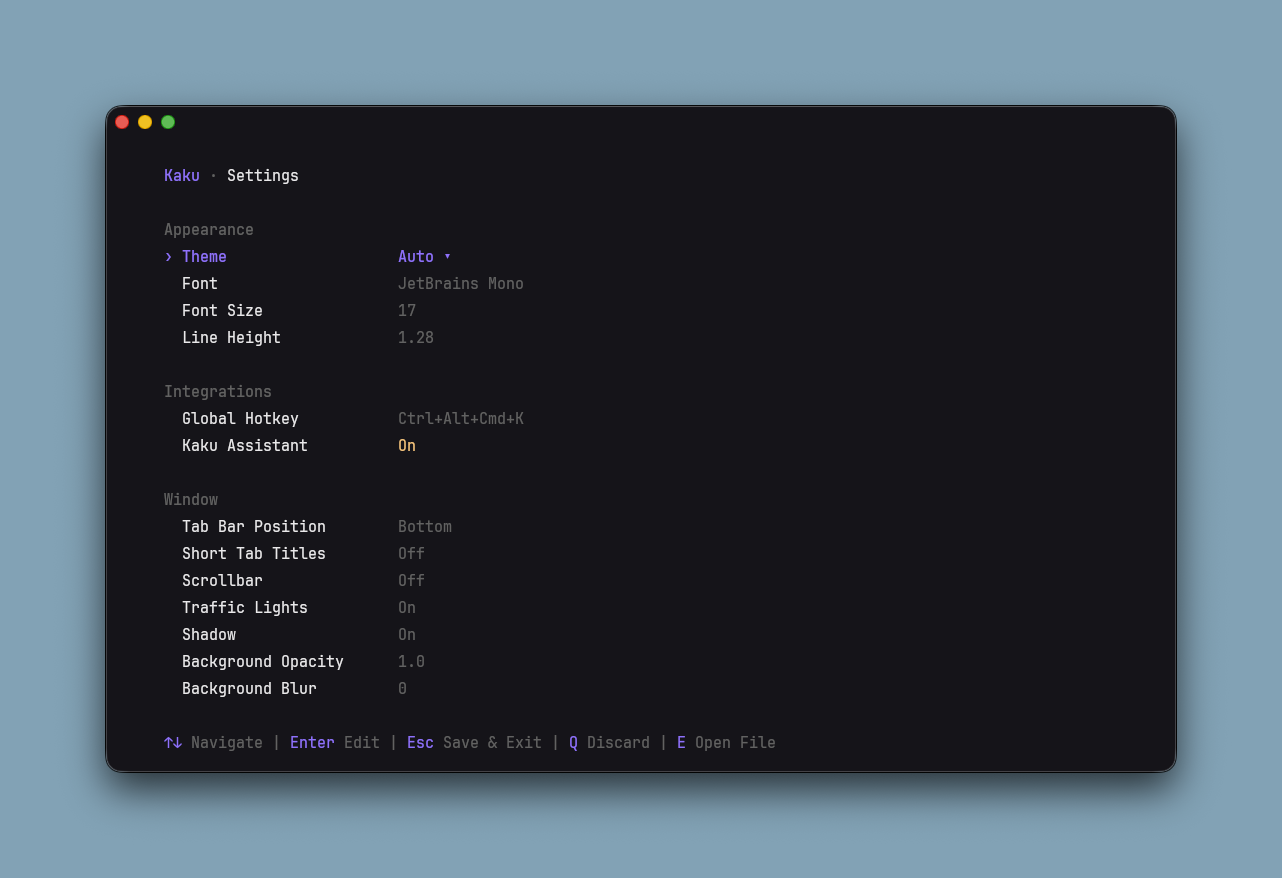
kaku config
kaku configを実行することでTUIでの設定変更ができる
kaku doctor
kaku doctorを実行することでkakuの状態を確認できる
以下全文
~ kaku doctor
Kaku Doctor
Status: ✓ OK
Summary: 7 ok  0 warn  0 fail  3 info

1. Health [OK]
  - ✓ Overall Health: No blocking issues detected
    - Summary: 7 ok, 0 warn, 0 fail, 3 info
    - Kaku version: 0.9.0

2. Environment [OK]
  - ✓ Current Shell Environment: SHELL is /nix/store/2rb8r6s2ic5wryq75aa0k3vhav51mxj6-fish-4.6.0/bin/fish
    - Kaku shell integration supports zsh and fish for PATH injection and managed shell config
    - Doctor reports the current process environment. GUI-launched apps can differ from a Terminal login shell.
  - ✓ PATH Contains Kaku Managed Bin: PATH includes /Users/wagomu/.config/kaku/fish/bin
    - Kaku command wrapper is expected at /Users/wagomu/.config/kaku/fish/bin/kaku
    - This PATH entry is normally added by Kaku shell integration on startup
    - PATH in Doctor reflects the current process environment and can differ between GUI and Terminal launches.
  - i Fish conf.d Entry Point: Found /Users/wagomu/.config/fish/conf.d/kaku.fish
    - Fish loads Kaku integration via /Users/wagomu/.config/fish/conf.d/kaku.fish

3. Shell Integration [OK]
  - ✓ Managed Fish Init File: Found /Users/wagomu/.config/kaku/fish/kaku.fish
    - Kaku writes PATH and shell integration to this managed file
  - ✓ Kaku Wrapper Script: Wrapper is ready at /Users/wagomu/.config/kaku/fish/bin/kaku
    - The `kaku` shell command is provided by this wrapper
    - Wrapper is generated by `kaku init` before shell setup runs
  - ✓ fish conf.d Sources Kaku Init: Found valid Kaku source entry in /Users/wagomu/.config/fish/conf.d/kaku.fish
    - Checked /Users/wagomu/.config/fish/conf.d/kaku.fish
    - Fish loads Kaku integration via this conf.d file on startup

4. Runtime [OK]
  - ✓ Kaku App Binary: Found executable /Applications/Kaku.app/Contents/Resources/../MacOS/kaku
    - Checked /Applications/Kaku.app/Contents/Resources/../MacOS/kaku
    - Checked /Applications/Kaku.app/Contents/MacOS/kaku
    - Checked /Users/wagomu/Applications/Kaku.app/Contents/MacOS/kaku
  - ✓ Wrapper Execution Probe: Wrapper can launch Kaku binary
    - Command succeeded: /Users/wagomu/.config/kaku/fish/bin/kaku --version
    - Output: kaku 0.9.0
  - i Login Fish Integration Probe: Skipped interactive login fish probe to avoid shell side effects
    - Doctor does not execute `fish -l` because interactive login startup files can run user-defined commands, plugin managers, and network actions.
    - Start a new fish session and verify `echo $PATH` includes ~/.config/kaku/fish/bin if you need end-to-end runtime validation.
  - i Local Network Troubleshooting: Use this when local-network access differs between Kaku and other terminals
    - If LAN access works in Terminal or iTerm2 but fails in Kaku, compare the two launch contexts before changing shell or PATH setup.
    - Run these in both apps: `route -n get <ip>`, `netstat -rn | grep <subnet>`, `ifconfig`, `scutil --nwi`, `ping -v <ip>`, `nc -vz <ip> 22`.
    - Check macOS System Settings > Privacy & Security > Local Network and confirm Kaku is allowed.
    - Compare launching Kaku from Finder/Dock versus Terminal, for example `open -na /Applications/Kaku.app`.
- Detected app bundle candidate: /Applications/Kaku.app/Contents/Resources.config/kaku
.config/kaku ls -l
total 40
-rw-------@ 1 wagomu  staff   682 Apr 10 14:42 assistant.toml
drwx------@ 4 wagomu  staff   128 Apr 10 13:47 fish/
-rw-r--r--@ 1 wagomu  staff  2843 Apr 10 13:47 kaku.lua
-rw-------@ 1 wagomu  staff    14 Apr 10 13:47 last_cwd
-rw-------@ 1 wagomu  staff   102 Apr 10 13:53 lazygit_state.json
-rw-r--r--@ 1 wagomu  staff   167 Apr 11 02:24 state.json
drwx------@ 3 wagomu staff 96 Apr 10 13:47 tmux/~/.config/kaku/kaku.lua
local wezterm = require 'wezterm'

local function resolve_bundled_config()
  local resource_dir = wezterm.executable_dir:gsub('MacOS/?$', 'Resources')
  local bundled = resource_dir .. '/kaku.lua'
  local f = io.open(bundled, 'r')
  if f then
    f:close()
    return bundled
  end

  local dev_bundled = wezterm.executable_dir .. '/../../assets/macos/Kaku.app/Contents/Resources/kaku.lua'
  f = io.open(dev_bundled, 'r')
  if f then
    f:close()
    return dev_bundled
  end

  local app_bundled = '/Applications/Kaku.app/Contents/Resources/kaku.lua'
  f = io.open(app_bundled, 'r')
  if f then
    f:close()
    return app_bundled
  end

  local home = os.getenv('HOME') or ''
  local home_bundled = home .. '/Applications/Kaku.app/Contents/Resources/kaku.lua'
  f = io.open(home_bundled, 'r')
  if f then
    f:close()
    return home_bundled
  end

  return nil
end

local config = {}
local bundled = resolve_bundled_config()

if bundled then
  local ok, loaded = pcall(dofile, bundled)
  if ok and type(loaded) == 'table' then
    config = loaded
  else
    wezterm.log_error('Kaku: failed to load bundled defaults from ' .. bundled)
  end
else
  wezterm.log_error('Kaku: bundled defaults not found')
end

-- User overrides:
-- Kaku intentionally keeps WezTerm-compatible Lua API names
-- for maximum compatibility, so `wezterm.*` here is expected.
-- Full API docs: https://wezfurlong.org/wezterm/config/lua/
--
-- 1) Font family and size
-- config.font = wezterm.font('JetBrains Mono')
-- config.font_size = 16.0
-- config.line_height = 1.2
--
-- 2) Color scheme
-- config.color_scheme = 'Catppuccin Mocha'
--
-- 3) Window size and padding
-- config.initial_cols = 120
-- config.initial_rows = 30
-- config.window_padding = { left = '24px', right = '24px', top = '40px', bottom = '20px' }
--
-- 4) Window transparency and blur
-- config.window_background_opacity = 0.95
-- config.macos_window_background_blur = 20
--
-- 5) Copy on select
-- config.copy_on_select = false
--
-- 6) Default shell/program
-- config.default_prog = { '/bin/zsh', '-l' }
--
-- 7) Cursor and scrollback
-- config.default_cursor_style = 'BlinkingBar'
-- config.cursor_blink_rate = 500
-- config.scrollback_lines = 20000
--
-- 8) Tab bar
-- config.hide_tab_bar_if_only_one_tab = true
-- config.tab_bar_at_bottom = true
-- config.tab_title_show_basename_only = true
--
-- 9) Working directory inheritance
-- config.window_inherit_working_directory = true
-- config.tab_inherit_working_directory = true
-- config.split_pane_inherit_working_directory = true
--
-- 10) Split pane
-- config.split_pane_gap = 2
-- config.inactive_pane_hsb = { saturation = 1.0, brightness = 0.9 }
--
-- 11) Add or override a key binding
-- table.insert(config.keys, {
--   key = 'Enter',
--   mods = 'CMD|SHIFT',
--   action = wezterm.action.TogglePaneZoomState,
-- })

return configおわりに
yaziやweztermのタブの設定を実際に試すことができたのはよかった。weztermを使ったモダンな環境を試してみたい!!という人にはいいんじゃないかと思う。
ただ、AIコーディング用なのにkaku aiが使えなかったり、勝手にstarshipが入ってプロンプトが置き換わるのは残念だった。